Surviving the streets requires more than just firepower. It requires economy, positioning, and strategy. Read the intel below before you drop in.
Game modes
City Takeover
Start with one block. Take the city
Build your crew and conquer the city.
Solo: capture blocks, buy businesses, recruit your crew and return to your saved city. Rooms: Control 75% of the city or win at the final whistle. Room progress never replaces your solo city.
Capture and hold the center block to win. Holding it earns bank cash and boosts business income.
Hold the central hill for five accumulated minutes; the time does not need to be uninterrupted. Play against AI in Single Player or choose it in Multiplayer.
Capture checkpoints in order and support your waves. Upgrades and cash belong to the match, not your solo city. Play against AI in Single Player or choose it in Multiplayer.
Six numbered steps for your first run in the browser. Each has a goal, a sign that it worked, and a fix if it did not.
Step 1
Start a run
Goal
Open the title screen, keep Solo mode on City Takeover, enter an alias and gang name, then press Take the Streets. If a save exists the button reads New Game and Continue appears above it. New Game replaces that run; Continue restores it.
You succeeded when
The city view loads with your character on the street and the HUD around it.
If not
Both names must be filled in or the button stays disabled. If Continue is missing, this browser has no save; see step 6.
Desktop: WASD or arrow keys move, the mouse aims, and holding left click or Space fires. E or Enter interacts, Escape pauses. Phone or tablet: the left stick moves; pushing the right stick past its deadzone aims and fires at once, and releasing it stops firing. Interact with the prompt that appears on the HUD.
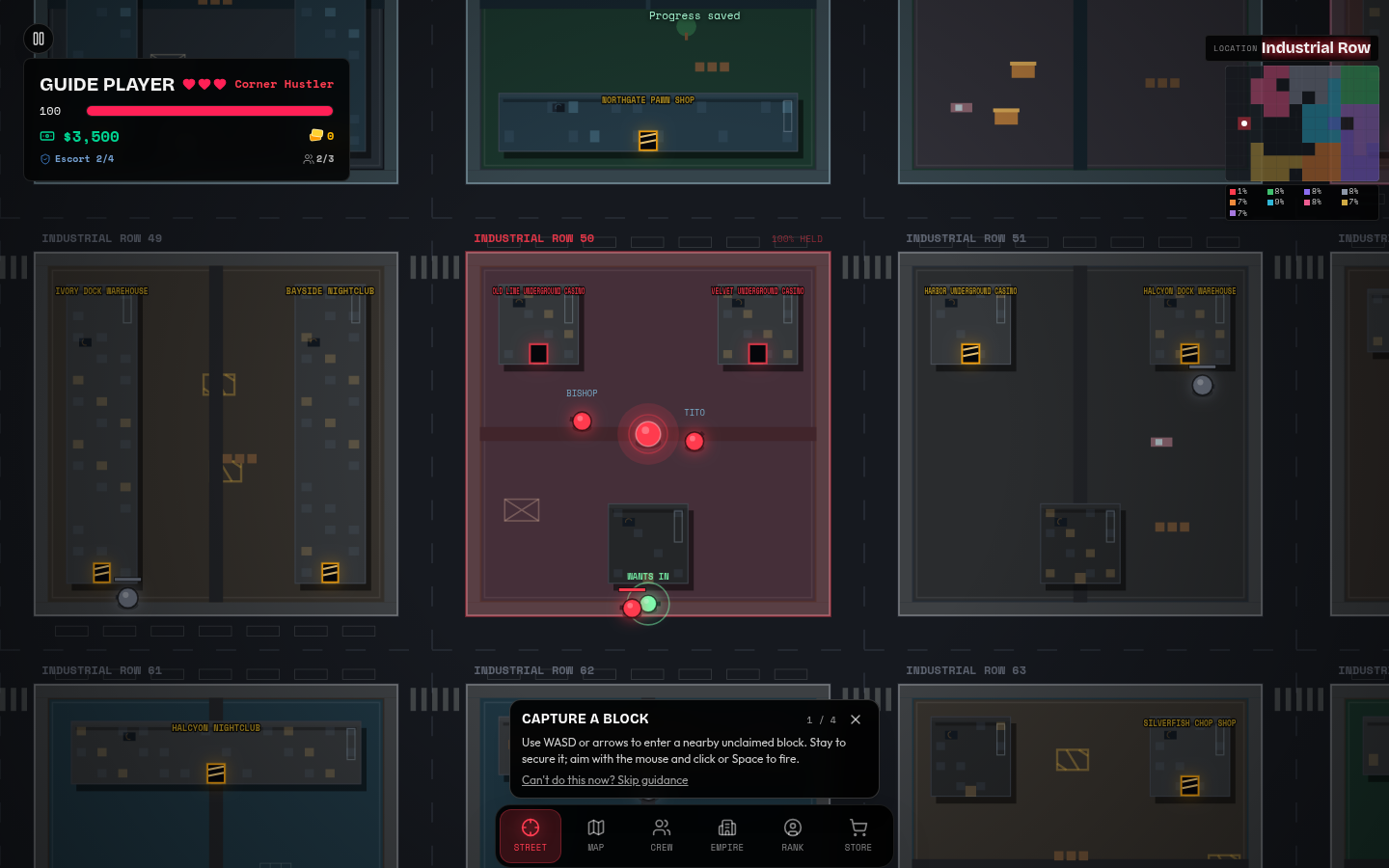
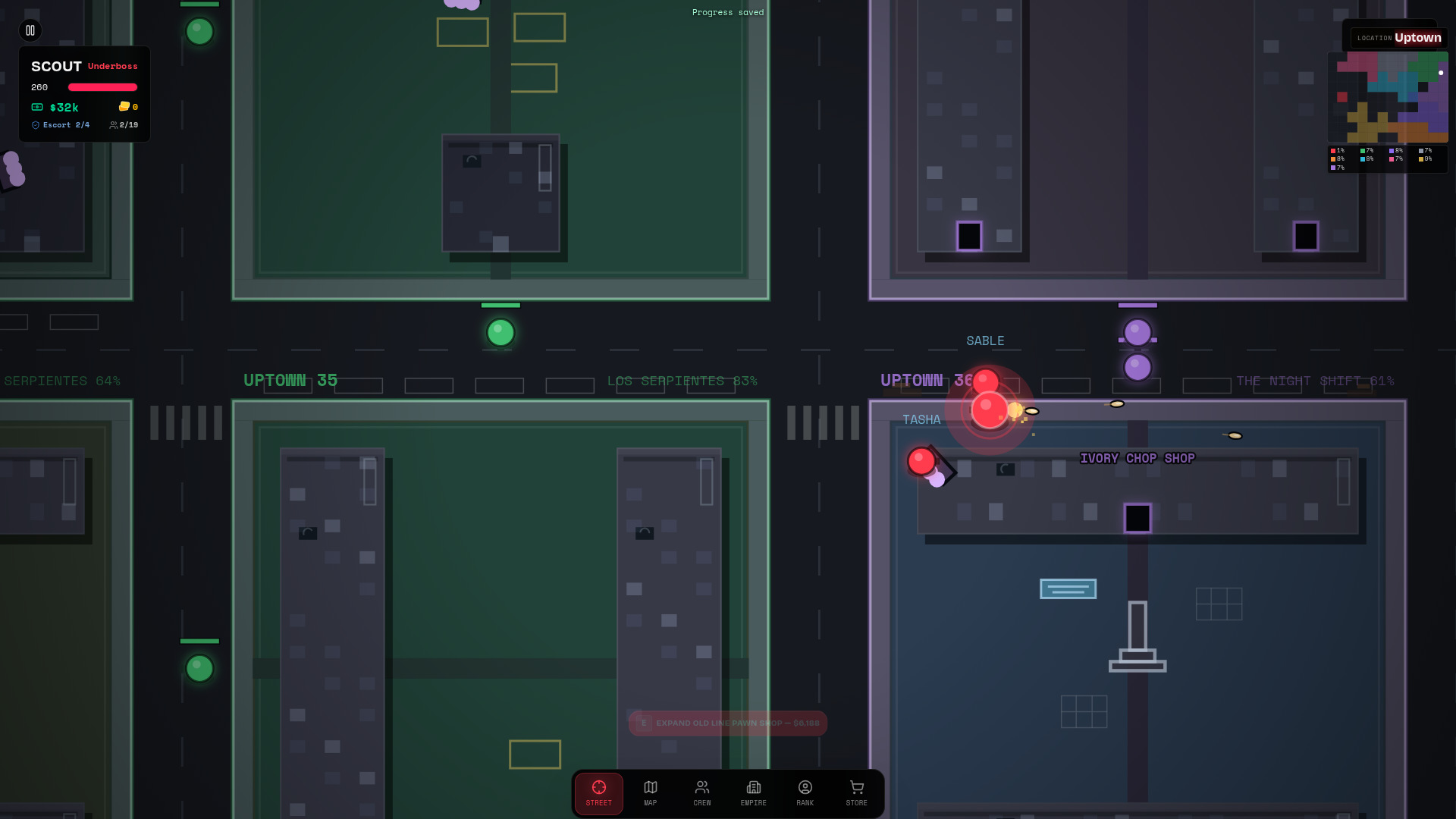
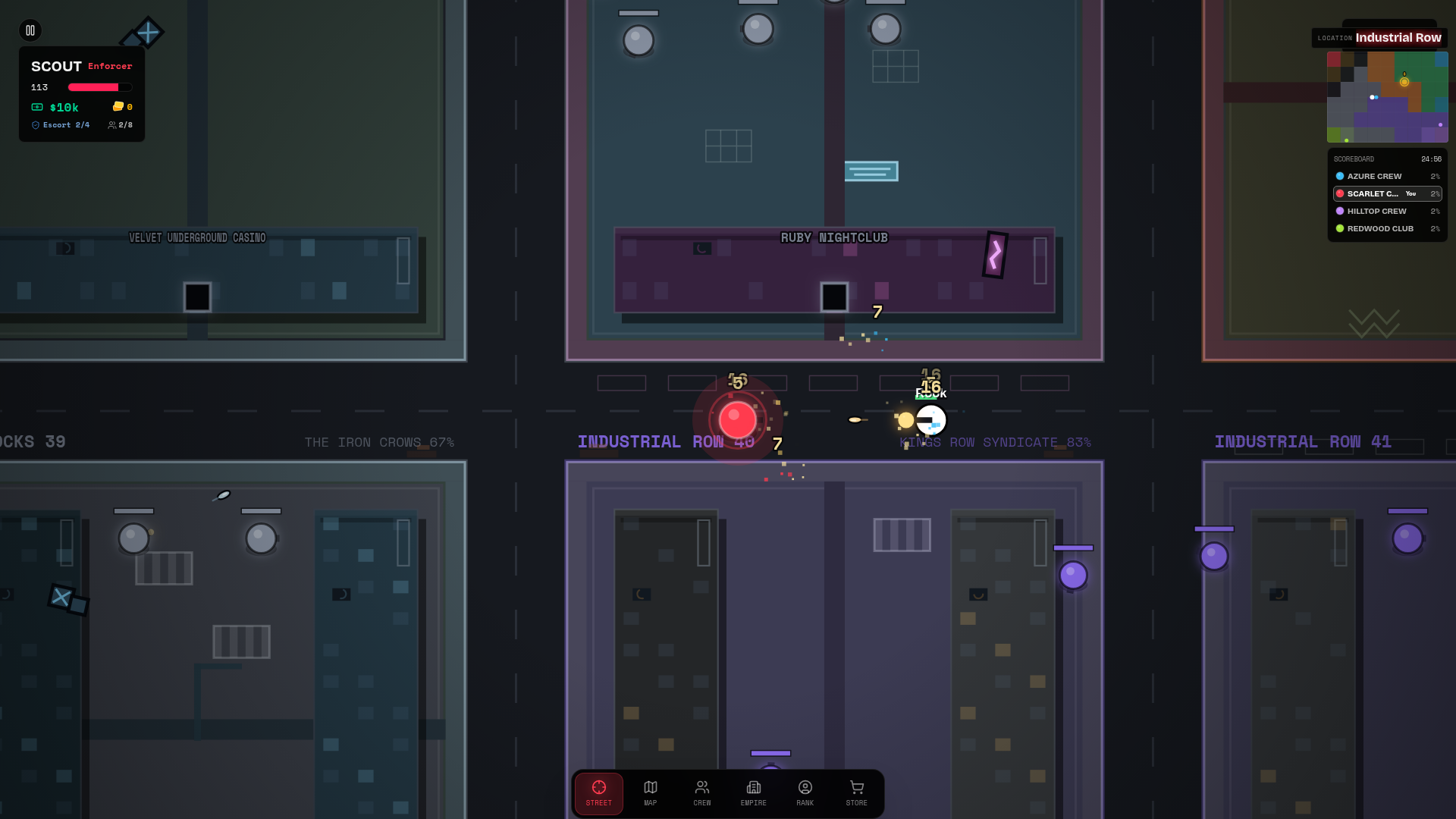
Standard Solo, captured October 3, 2026: the upper-left HUD shows health, cash, lives, and escort slots; the upper-right minimap shows nearby ownership. The Capture a Block prompt points toward the first objective. This image does not show a completed capture. Screenshots are captured from the current build to show where the labels appear.
You succeeded when
The character moves with your input and shots leave the weapon in the direction you aim.
If not
On a phone, open Settings and check that Touch Controls is enabled. On desktop, click the game once so it has keyboard focus. If a HUD button has focus, Enter and Space press that button instead of firing.
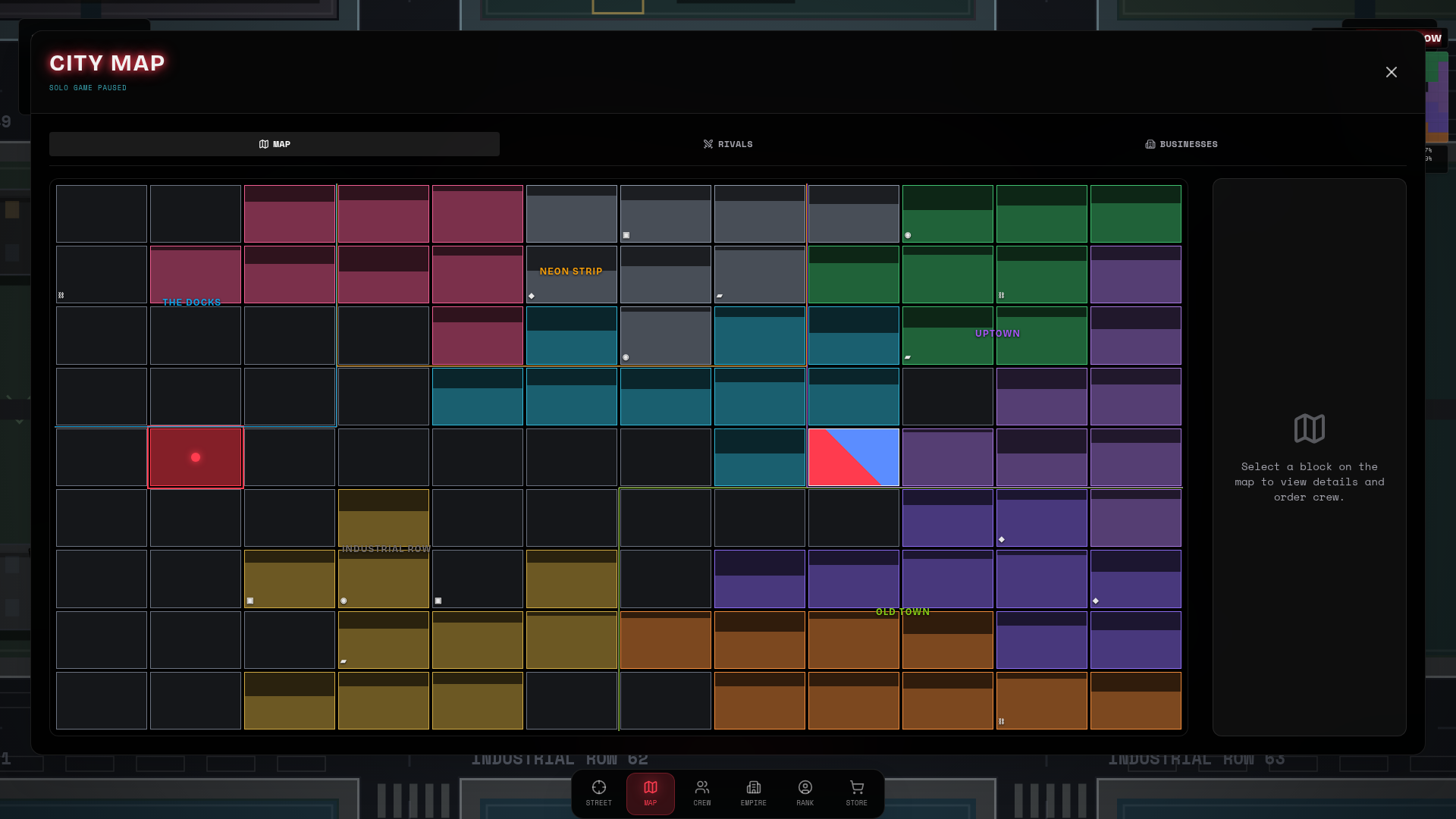
Open Map and select a nearby block whose Owned by: label says Unclaimed or names a rival. Compare Control and Defense; choose a low-defense block, not the Ninth Precinct. Walk onto it, clear the hostile fighters, and stay inside. Capture is automatic, not a button purchase. After control reaches zero, the ownership hold is 8 seconds for both neutral and rival blocks. Returning defenders pause that hold; lockdowns can protect a block.
You succeeded when
The block changes to your gang color on the map and appears among your territories.
If not
Clear any hostiles still on the block, stay inside it, and keep an eye on the control meter. If you leave, the timer does not progress.
Business takeover is separate from territory capture. Walk near a business on a block you own and use the priced HUD prompt (E or Enter on desktop). Then open Empire: compare Income, Crew Upkeep, and Net Profit, all per minute. Keep Net Profit positive before hiring; a bigger roster can drain cash even after a profitable purchase.
You succeeded when
Cash drops by the takeover price, the business belongs to you, and Empire shows how its income compares with payroll.
If not
If no prompt appears, move closer and check the block is yours. If the message says you need more cash, earn it first.
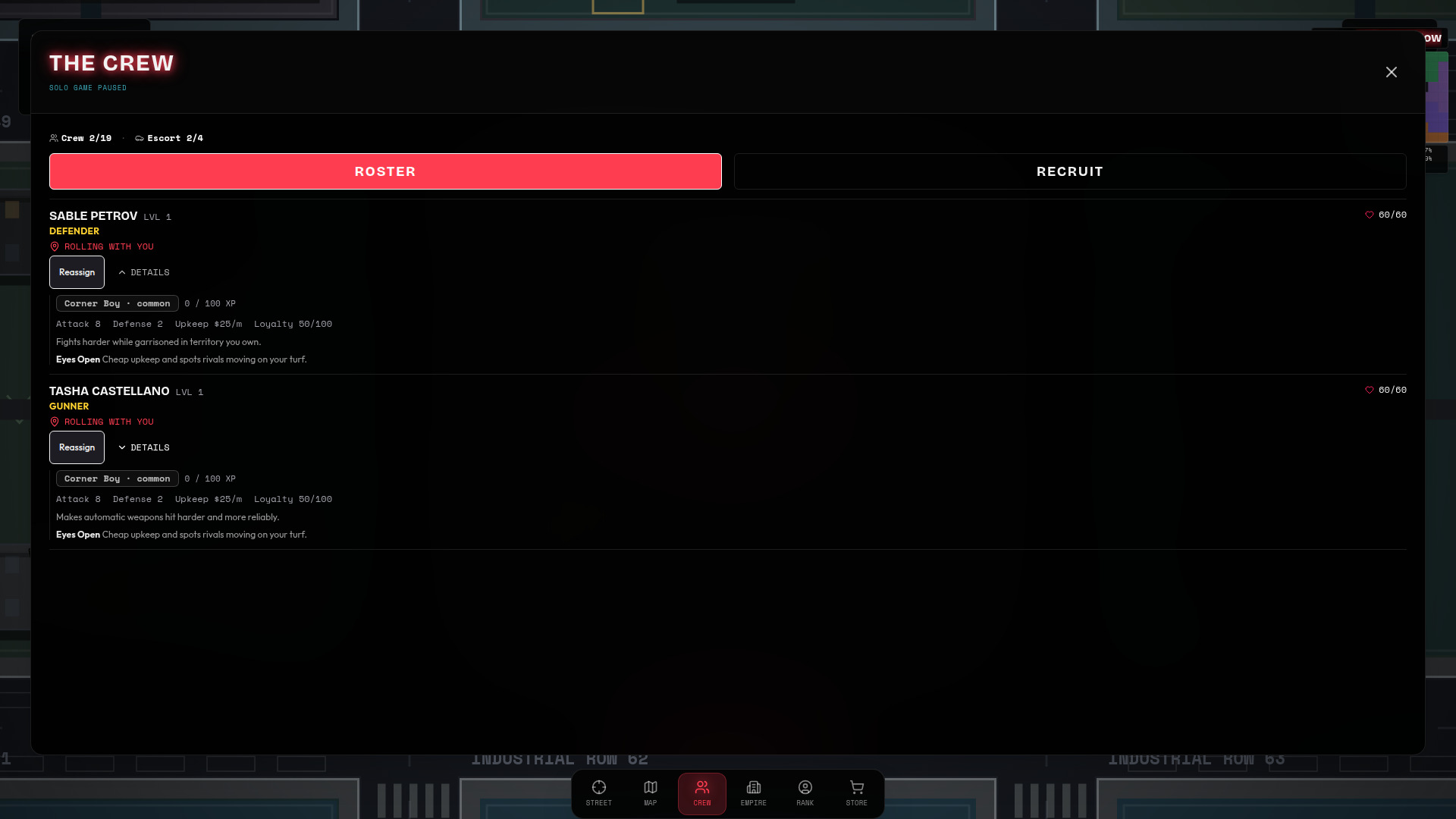
Open Crew, switch to the Recruit Market tab, and press Hire on an offer. Offers show cost, stats, and a specialty before you buy; the Hire button shows its upkeep per minute. Then open Active Roster, press Reassign, and choose Escort Player or Garrison Territory… for a block you own.
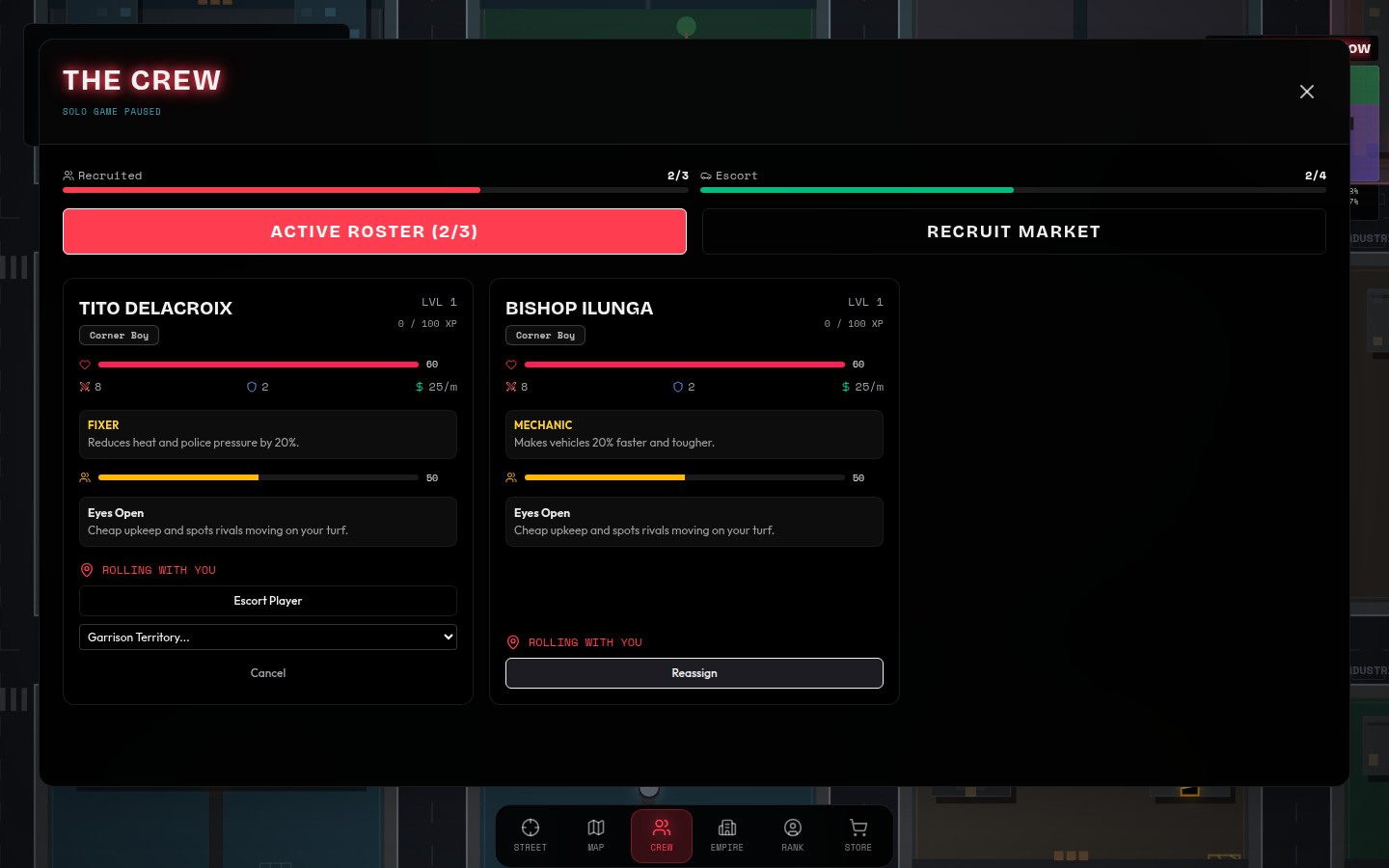
Crew, captured October 3, 2026: Active Roster shows two starter members with stats and upkeep. Reassign is open on the left card, exposing Escort Player and Garrison Territory...; Recruit Market is the tab for new hires. The game is paused while this solo panel is open. Screenshots are captured from the current build to show where the labels appear.
You succeeded when
The new member appears in Active Roster and its card shows the assignment you chose.
If not
Hire is disabled when cash is short or the roster is full. If escort slots are full, stand on your own block: the recruit then guards it.
Fighting hostiles and police raises Heat; retreat from a fight before your health runs out, because losing health costs lives. Press Escape (desktop) or open the pause menu, choose Save Game, and use Continue on the title screen next time. Clearing browser data erases saves that are not linked. Linking happens only inside the game; never send a link code or any secret by email.
You succeeded when
The Heat indicator stays manageable, your health bar is above empty, and after saving, the title screen offers Continue.
If not
Break line of sight and move away from police before fighting on. If Continue is missing next visit, you may be in a different browser or profile, or its data was cleared.
City Takeover difficulty
Tough → Hardened → Wanted → Ruthless. Win at your highest unlocked tier to unlock the next; choose an unlocked difficulty before starting a fresh city. Difficulty is not a different game mode.
Higher solo difficulties increase rival reinforcement pressure. Wanted and Ruthless amplify Heat and keep a Heat floor; Ruthless also shortens ordinary rival casualty recovery. These rules do not change online modes.
Physical Training
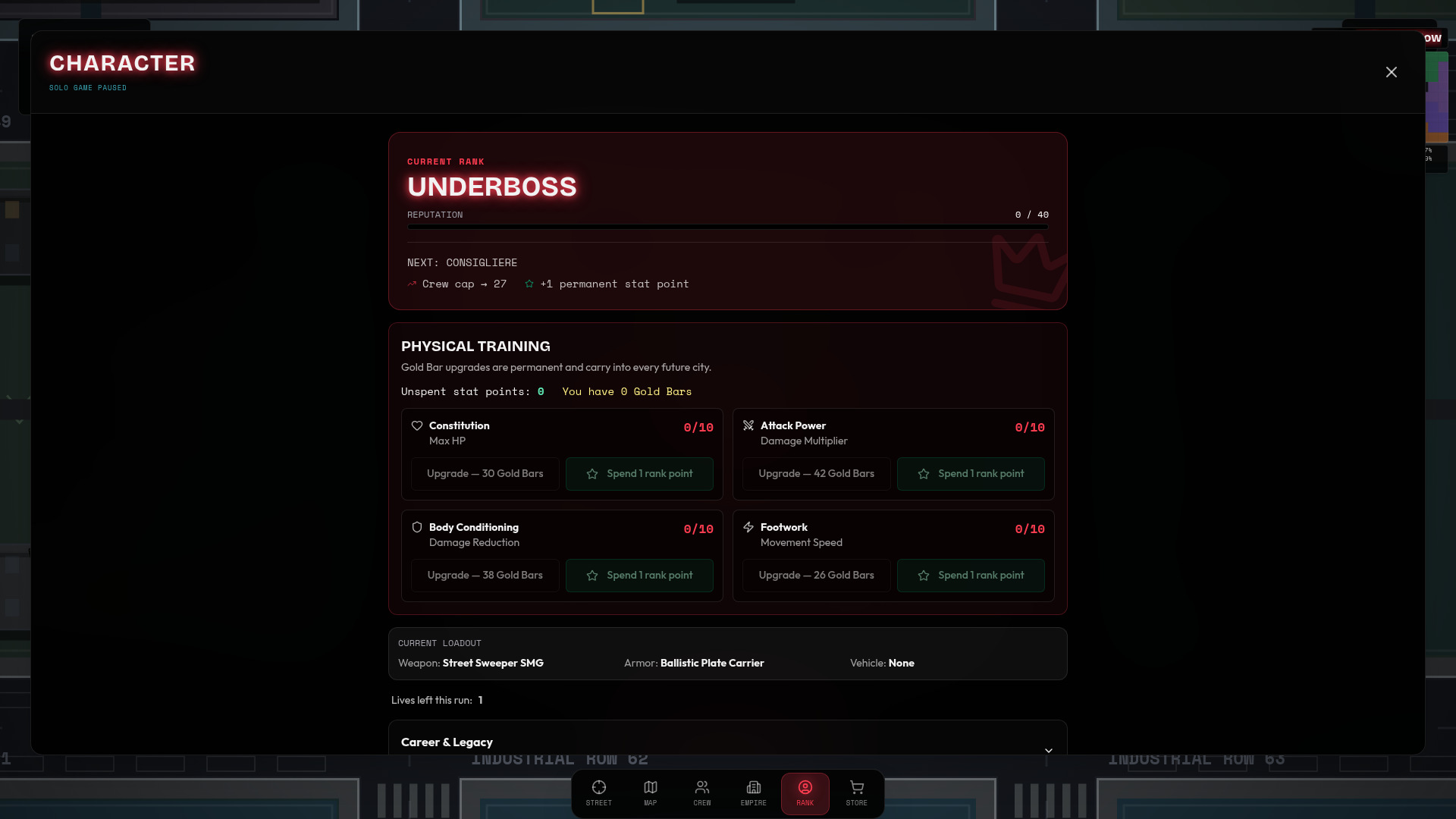
Open Rank → Physical Training. Spend earned rank points to permanently improve solo health, damage, armor or speed; Gold Bars are optional. These upgrades do not transfer to online matches.
Run perks
In new City Takeover cities, capture 1, 10, 20, 40 distinct non-home blocks to earn perk choices. Pick one of three; read gains, drawbacks and activation conditions. New offers share one rarity; Legendary is not guaranteed and can be offered only once per city.
Watch ad to reroll is optional and costs no cash or Gold Bars: one completed rewarded ad replaces the choices once per popup, preserving rarity. If ads are unavailable, choose without one. Continue keeps chosen perks and pending choices; a fresh city resets them. Older saves without perks stay without them.
Continue keeps the saved city and its difficulty. A fresh city keeps reputation, rank, unspent rank points, permanent training, earned difficulty unlocks and permanent owned items, but resets cash, territory, businesses, crew and equipped gear. Online matches have their own progression, not your City Takeover save.
Rankings, purchases and appearance
Season rankings
Open Multiplayer → Season standings to see the ladder and your position. Seasonal rating is separate from your solo rank and Physical Training. Only completed City Takeover Versus matches with at least two distinct verified human accounts qualify; a decisive result also needs a verified winner. Guests and bots are not rated opponents. Solo, Co-op, Hill, Base Assault and Last Stand do not award seasonal rating.
New players start at 1,000. Wins and losses change Elo according to opponent ratings, with a small territory bonus for the winner; draws leave rating unchanged. Purchases, Gold Bars and skins do not directly award rating. Leaving a match does not erase its recorded result.
Seasons last 28 days. The new-season starting rating is 1,000 plus half your previous rating's distance from 1,000, rounded: 1,600 becomes 1,300. Career totals never reset. Standings sort by rating, wins, earlier last standings update, then account ID.
Season portrait frames require at least 10 eligible completions in that season and a final Top 50, Top 10 or Champion placement. The participation requirement does not move other players up the standings. Awards are permanent cosmetics, not combat upgrades; check the frame collection for the first reward season. Career frames reward 1 eligible win, 25 eligible completions and 10 eligible wins.
Eligible authenticated server-run victories retain 113 Solo or 150 Co-op base points at wave 8. Each fully cleared later wave earns a Co-op bonus: waves 9–12 give 5 each, 13–16 give 10 each, 17–20 give 15 each, and 21 onward give 20 each. Solo earns 75% of the cumulative Co-op bonus, rounded once; only the new difference is awarded. Wave-16 totals are 158 Solo / 210 Co-op. Reaching a wave, time survived and losses before wave 8 earn no points.
Public bonuses require continued eligible participation and the existing verified-account, abandonment, duplicate-account and temporary-AI checks; Co-op needs at least two eligible verified humans. Base eligibility and the season are fixed at wave 8. Later bonuses never add another win. Departures do not revoke committed awards. Worker and offline receipts are statistics and cosmetic evidence only, never public-points proof. These launch weights are provisional, not measured human balance.
Game store purchases
Cash funds equipment, businesses and crew within the current run or match. Gold Bars are a separate premium balance used for marked purchases. Buying Gold Bars or a bundle uses real money; spending existing Gold Bars does not start another real-money checkout. Check the currency icon, requirements and final confirmation before buying.
The store includes Arsenal, Armor, Garage, Skins, Boosts and Gold. Available categories and items depend on the mode. Owned equipment may still need to be equipped; boosts can be consumable. Room cash and equipment do not replace your saved solo city. City Takeover and Hill Co-op premium guns and Auto-Turret require host opt-in; public matchmaking and Versus disable them.
Browser solo offers: Emergency Funds costs 5 Gold Bars for $4,000 cash, with unlimited separately confirmed purchases. Second Chance costs 10 Gold Bars for one safe revival per run, except Iron Run. New Connections costs 3 Gold Bars for one same-rarity reroll per selection; current perk choices are free. These benefits last only for the current run. Embedded apps keep their existing rewarded ads; Steam and rooms do not offer these purchases.
Bundles and their contents
These are catalog contents, not a promise that every offer is available on your device. Check the current store for availability, eligibility, price and currency; checkout is authoritative. Optional offers may be disabled or already owned. Bundle cash is street cash, not a promise to fund every multiplayer room. No purchase guarantees a win.
Pocket Change
120 Gold Bars
The Stack
340 Gold Bars
$25,000 street cash
Briefcase Run
800 Gold Bars
$90,000 street cash
Vault Job
2,000 Gold Bars
$300,000 street cash
Kingpin Starter Pack
1,200 Gold Bars
$250,000 street cash
Permanent RPG-7 shop access; buy it with run cash each run
Welcome Bundle
240 Gold Bars
Cosmetic: First Edition
Cosmetic: First Edition Frame
Once per linked account. No expiry.
Neon Syndicate Collection
Cosmetic: Neon Syndicate
Cosmetic: Neon Syndicate Finish
Cosmetic: Neon Syndicate Frame
Once per linked account. No expiry.
Skins and cosmetic ownership
Open Store → Skins to preview outfits and use Equip on an owned skin. You can also choose your appearance before starting a game. Some skins cost Gold Bars, some are earned, and exclusive bundle skins require their matching entitlement. Unlocking is not the same as equipping.
Owned skins and account cosmetics persist rather than being consumed each match. Use the same linked account and the store's restore option where supported; do not assume purchases transfer between every platform. Skins change appearance only, not health, damage, speed or seasonal rating.
Outfits change your character; weapon finishes change appearance without unlocking the weapon. Portrait frames decorate your public profile. Purchased frames and earned season frames are different rewards. Select owned frames and finishes in the appearance controls; they do not replace your equipped combat gear.
All-Mode Champion: Win 10 times in each of the four modes. Solo and Multiplayer wins count together. Earned only, never sold. City Takeover · King of the Hill · Base Assault · Last Stand
Solo Hill, Base Assault and Last Stand run on your device and require Internet throughout play. Connection loss pauses play; reconnect to continue without losing progress. These modes do not use the earned solo difficulty ladder or run perks. Multiplayer runs on the server and does not pause when you open a menu.